Wonder Apps Logo
Wonder Apps
Wonder Voice iOS app icon — text to speech

Wonder Voice - Text To Speak

Turn articles, PDFs, notes, and screenshots into natural speech—pick accents, follow progress visually, and train voices that feel personal

★★★★★ 4.8 (5,325 reviews)
1.3M+ downloads
Utilities

About This App

Wonder Voice is built for anyone who’d rather listen than squint at a screen—commuters, students cramming PDFs, editors proofing by ear, and creators who need a quick scratch voiceover. Any written content becomes clear, natural audio in seconds on both iPhone and iPad.

Choose from rich multilingual voices and accents—or train custom profiles so playback sounds like you or your brand. Imports span Safari text, clipboard, notes, documents, and OCR from photos so nothing stays trapped in a wall of text.
Key Features

Expressive voices & languages

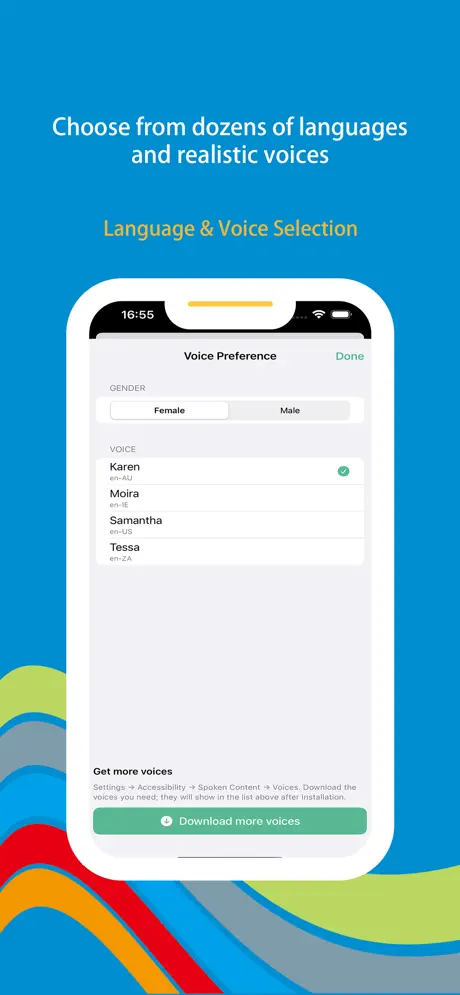
HD voices across many languages and dialects—switch from a calm presenter tone to a lively storyteller so news, fiction, and study material all feel right.

Live playback control

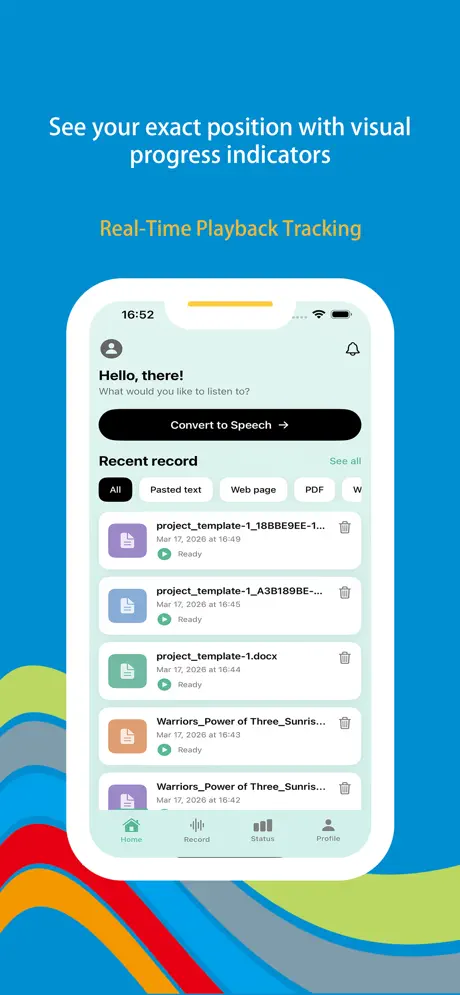
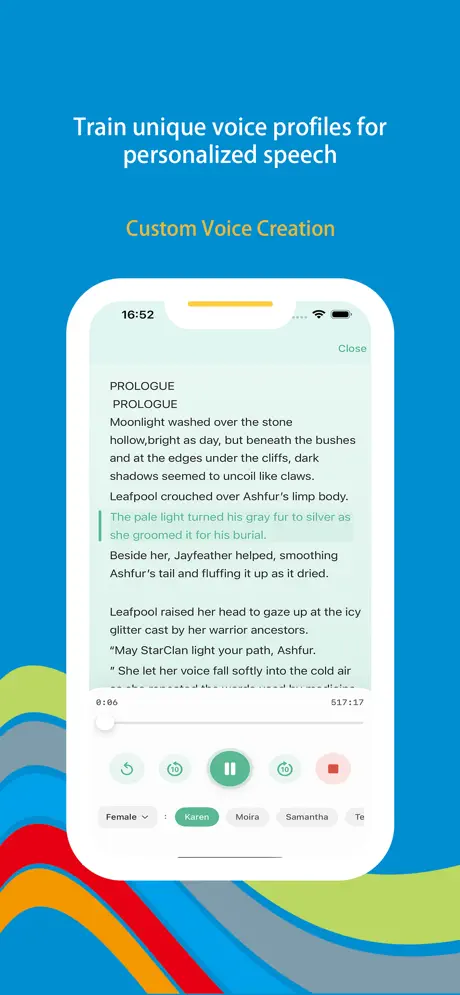
Visual progress keeps you oriented in long reads—rewind a missed word or jump forward without guesswork, all with quick taps during a walk or drive.

Custom voice creation

Train a profile that sounds like you or craft a character voice—great for signature social clips, family read-alouds, and fast draft narration.

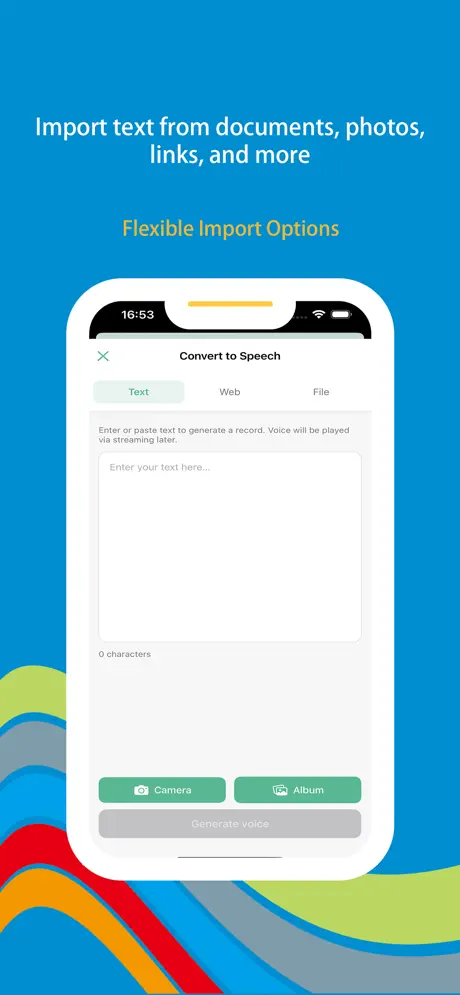
Import from anywhere

Pull in text from browsers, Notes, the clipboard, PDFs, Word, TXT, or photos via OCR—paste, import, or snap a page and press play.

Smart listening insights

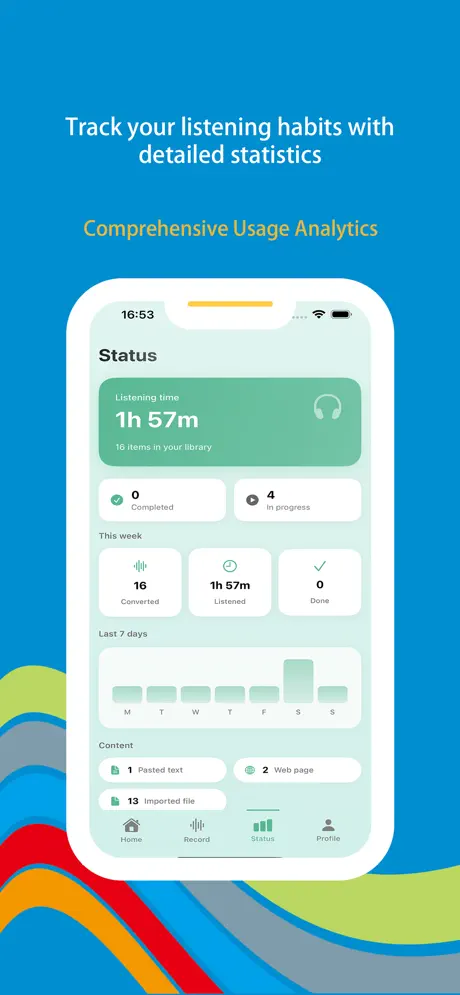
Stats surface listening time, favorite voices, peak hours, and content breakdowns—handy for language practice goals or keeping audiobook habits honest.

For commuters, students & creators

Hands-free articles on the train, spoken lecture PDFs at your desk, proofreading by ear, immersive language listening, or scratch voiceovers—one app wraps the workflow.

Wonder Voice iOS screenshot — text to speech player
Wonder Voice screenshot 1 — library or home
Wonder Voice screenshot 2 — voice selection
Wonder Voice screenshot 3 — playback
Wonder Voice screenshot 4 — import or OCR
Wonder Voice screenshot 5 — stats or settings

App Information

  • Version 3.2.1
  • Size 45.8 MB
  • Category Utilities
  • Compatibility iOS 15.0+
  • Languages English
  • Age Rating 4+

Ratings & Reviews

See what users are saying about Wonder Voice

4.8
★★★★★
Based on 5,325 reviews
5
85%
4
10%
3
3%
2
1%
1
1%
DM
Daniel Moore
3 days ago
★★★★★

PDF lectures finally fit my commute

Grad school sends endless scanned readings—I import PDFs and let Wonder Voice read them while I walk. The scrubber makes rewinding dense paragraphs painless. With 5,325 reviews on the listing I assumed it had been battle-tested; the 1.3M+ download count didn’t hurt either when I was choosing between three TTS apps.

OG
Olivia Green
1 week ago
★★★★★

Hear typos before I ship copy

I paste drafts from Notes and listen with a neutral narrator—awkward sentences jump out faster than silent proofreading. OCR from screenshots saves me when editors send marked-up pages as images. Voice variety is huge for long sessions so nothing feels monotone.

KZ
Kevin Zhang
2 weeks ago
★★★★★

Language shadowing that sticks

I shadow news articles in native accents for an hour a day; listening stats show when I actually kept the habit versus wishful thinking. Custom voice is fun for rough-cut explainers before I book pro narration. Glad this app earned such a big audience—over five thousand reviews makes obscure bugs less scary.

Scan to Download

QR code to download Wonder Voice — Text To Speak from the App Store

Scan this QR code with your device to download the app