Wonder Apps Logo
Wonder Apps
Wonder Trans iOS app icon — AI translation keyboard

Wonder Trans - AI Keyboard

Translate, polish tone, and paste saved details from one keyboard—built for Mail, Messages, social apps, and forms without app-hopping

★★★★★ 4.8 (2,649 reviews)
1.0M+ downloads
Keyboard

About This App

Wonder Trans is more than a translator—it is a writing assistant that lives on your iPhone keyboard. Type or paste text for an immediate translation, then stay in the same thread whether you are closing a deal, coordinating travel, or answering customer chats.

When wording matters, soften a blunt reply or strengthen a hesitant sentence in one tap; when speed matters, inject saved addresses and snippets instead of retyping. Processing stays on your device so drafts feel responsive and private across Mail, Messages, and third-party apps.
Key Features

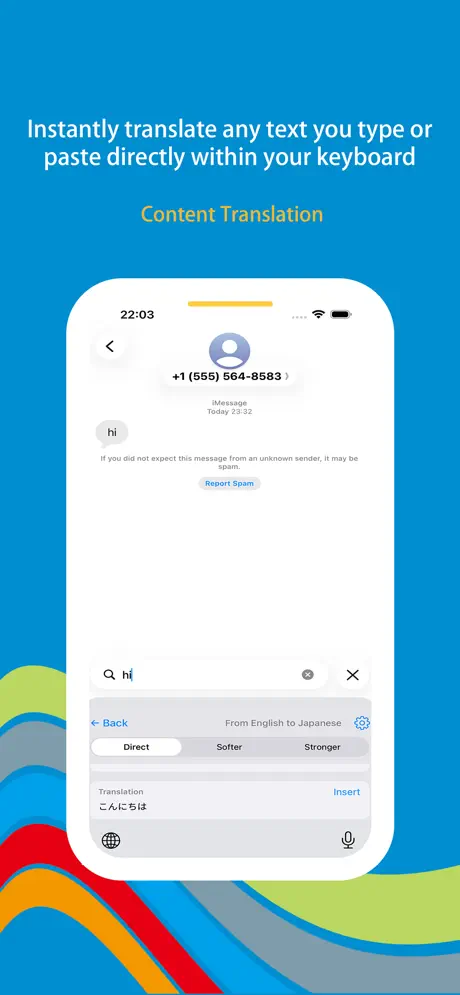
Instant content translation

Type or paste text and get a direct translation without leaving iMessage, WhatsApp, WeChat, Mail, or any app that uses the system keyboard—fewer copy-paste round trips.

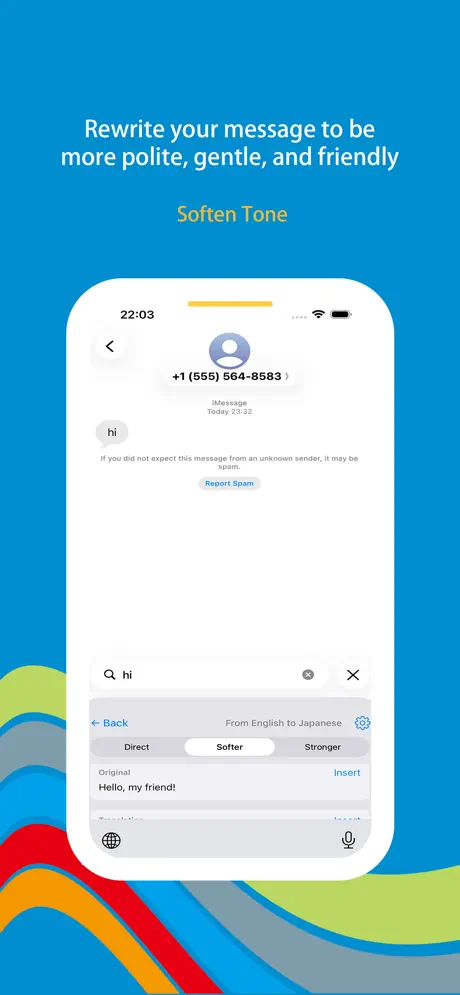
Tone softening

Turn stiff or sharp wording into something warmer and more diplomatic—handy for client email, support tickets, or delicate chats where empathy beats bluntness.

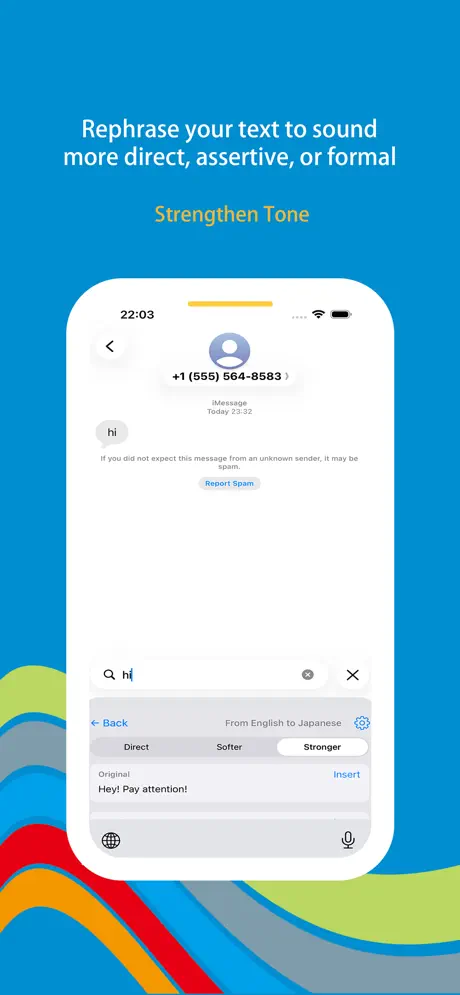
Tone strengthening

Swap vague language for clear, confident lines—useful when you need authority in negotiations, boundaries with vendors, or decisive follow-ups.

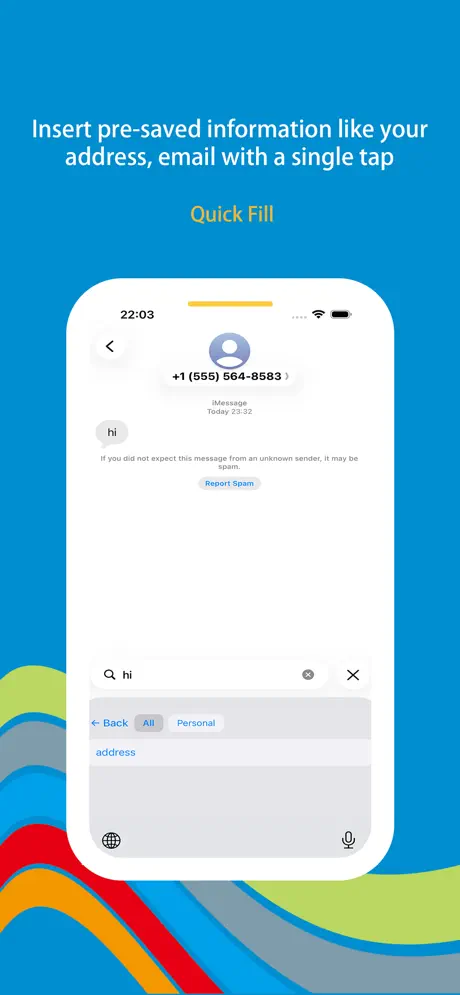
Quick information fill

Store address, phone, email, or banking details once and insert them on shipping forms, logins, and checkout fields—same accuracy, far fewer typos.

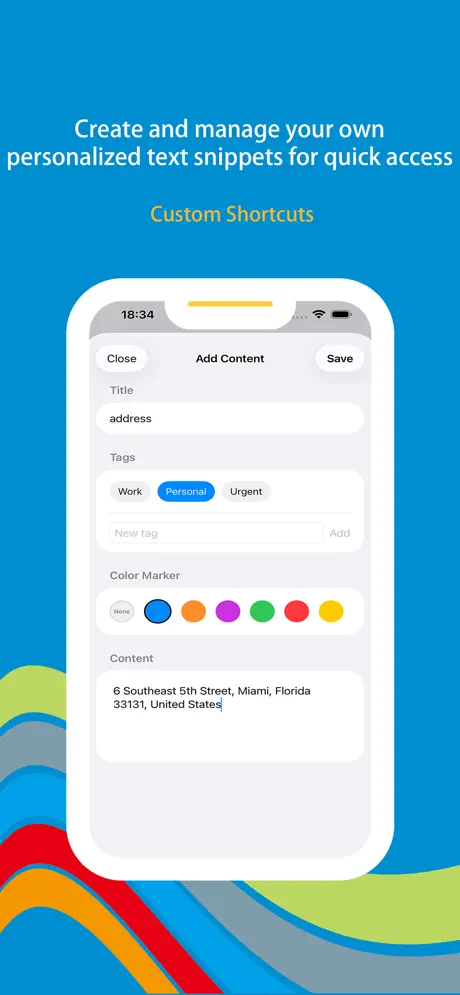
Custom text shortcuts

Build a personal snippet library for canned replies, signatures, and recurring phrases—surface what you need faster than hunting old threads.

Privacy-first & fast

Text is handled on your iPhone with snappy responses—no hopping to another app, and no trading conversational privacy for convenience.

Wonder Trans iOS screenshot — AI keyboard interface
Wonder Trans screenshot 1 — keyboard home
Wonder Trans screenshot 2 — translation
Wonder Trans screenshot 3 — tone tools
Wonder Trans screenshot 4 — snippets or shortcuts
Wonder Trans screenshot 5 — settings or quick fill

App Information

  • Version 3.2.1
  • Size 45.8 MB
  • Category Keyboard
  • Compatibility iOS 15.0+
  • Languages English
  • Age Rating 4+

Ratings & Reviews

See what users are saying about Wonder Trans

4.8
★★★★★
Based on 2,649 reviews
5
85%
4
10%
3
3%
2
1%
1
1%
DM
Daniel Moore
3 days ago
★★★★★

Translate without breaking the chat flow

Family abroad texts me mixed languages daily—I translate inline from WhatsApp without bouncing to another app or losing thread context. Seeing 1.0M+ downloads and thousands of ratings gave me confidence it wasn’t abandonware; with 2,649 reviews now it feels like a mature keyboard, not a weekend experiment.

OG
Olivia Green
1 week ago
★★★★★

Tone softening saved a client email

I drafted something blunt after a long day; one tap later it read professional without sounding passive-aggressive. Perfect for customer-facing replies. Quick-fill for my office address and booking links cuts paste errors—I’d pay for that alone, but bundled with tone tools it’s been my default iOS keyboard for months.

KZ
Kevin Zhang
2 weeks ago
★★★★★

Stronger wording for negotiations

Freelance invoices used to sound apologetic; tone strengthening makes asks clear without rambling. Custom shortcuts hold my rate card and scope bullets—huge for repeat inquiries. I picked this after checking traction (over one million downloads) and the privacy pitch (on-device feel); latency stays low enough that I’m not waiting mid-message.

Scan to Download

QR code to download Wonder Trans — AI Keyboard from the App Store

Scan this QR code with your device to download the app