
Wonder Apps Logo
Wonder Apps
Wonder QR iOS app icon - QR scanner and creator

Wonder QR - QR Scanner

Scan safely, create beautiful codes, and update dynamic links without reprinting

★★★★★ 4.8 (3,218 reviews)
1.1M+ downloads
Utilities

About This App

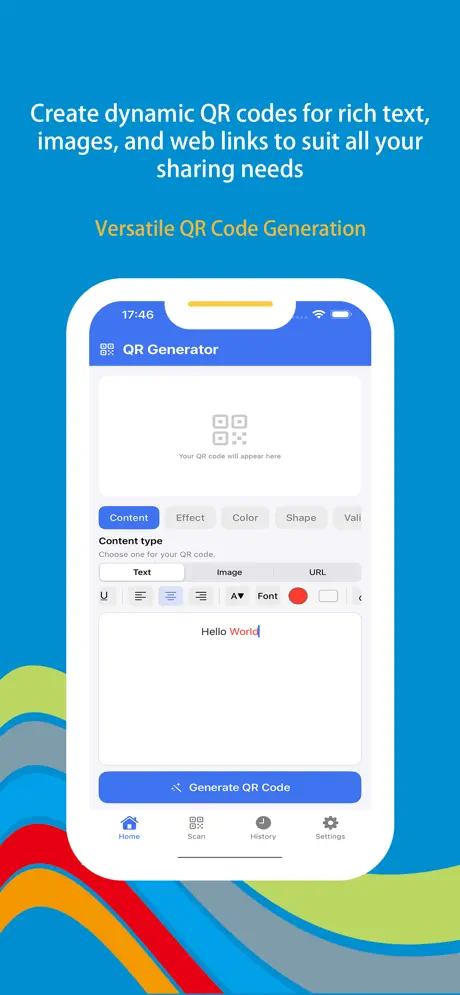
Discover the next generation of QR technology with Wonder QR—the most intelligent scanner and creator for iOS. Built for professionals, marketers, and everyday users, it transforms how you interact with QR codes, from the first scan to the final campaign report.

Unlike static codes that lock you into a mistake once printed, Wonder QR uses dynamic technology so you can change URLs, images, or messages anytime while the physical code stays the same. Pair that with real-time analytics, a rich design studio, and built-in protections against dangerous links, and you have one app for safe scanning and standout creation.
Key Features

Dynamic QR Content

Update URLs, fix typos, or swap images anytime—the printed code stays the same while destinations refresh instantly. No reprints after every campaign tweak.

Real-Time Analytics

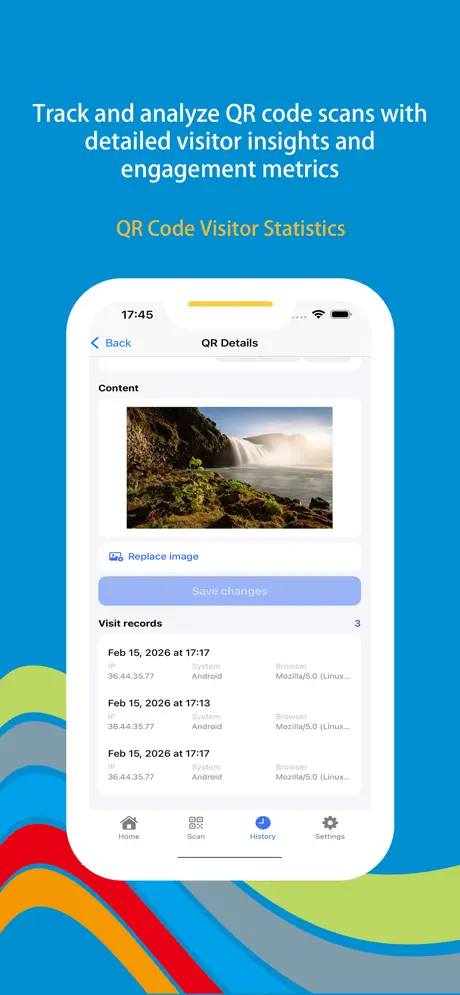
See scan counts, timing, and location insights to measure flyers, events, menus, and retail displays—know which codes actually perform.

Design Studio

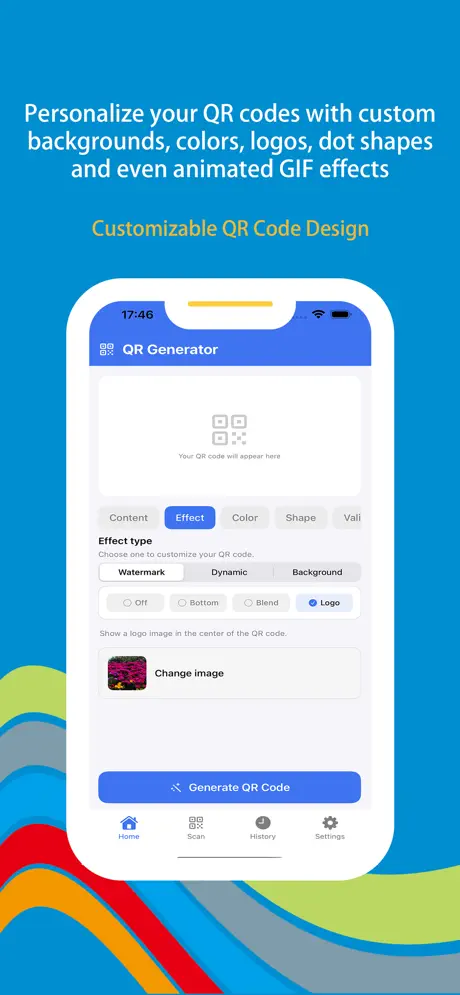
Match brand colors, embed your logo, experiment with dot shapes, and even add animated GIF flair so your codes look as professional as your business.

Safe Scanning

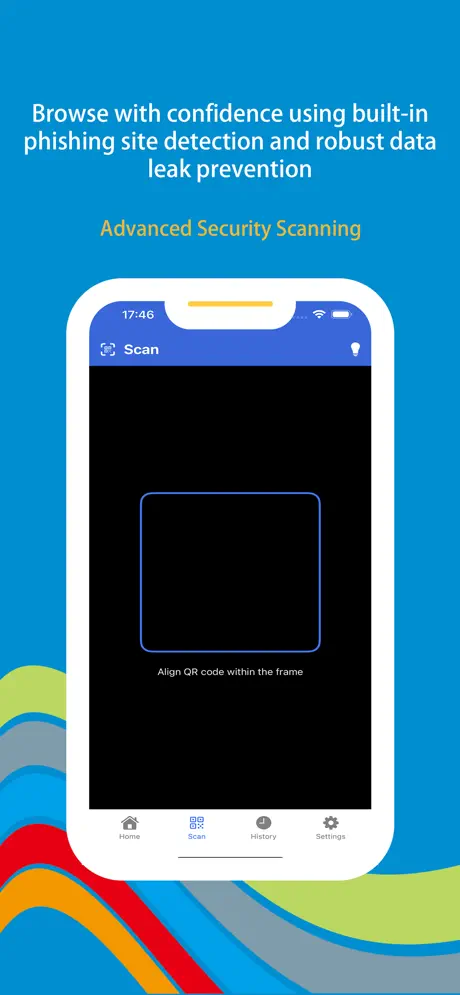
Built-in phishing awareness and sandbox-style checks warn you before risky links open, helping everyday scans stay private and secure.

Rich Content Types

Generate codes for styled text, high-quality images, or any web link—one toolkit whether you are sharing menus, portfolios, or quick notes.

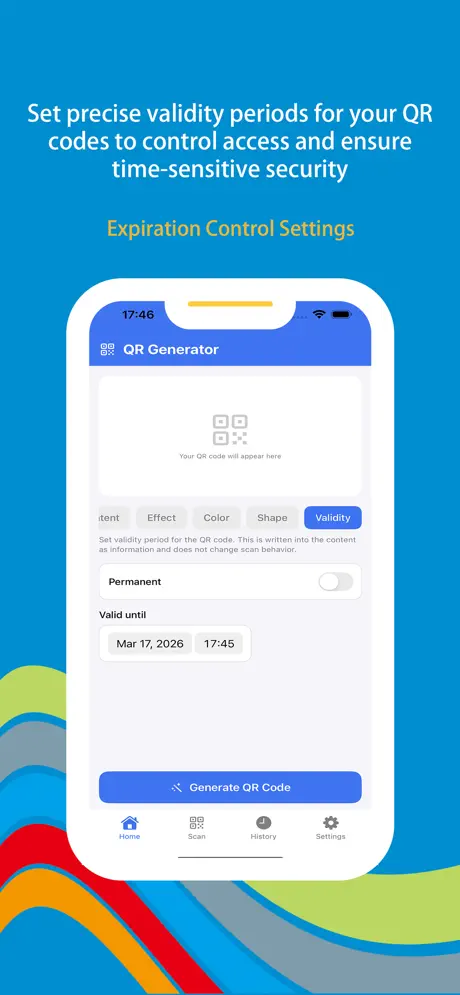
Expiration Controls

Set precise end dates for promotions, tickets, or temporary passes so codes automatically retire when the offer does—no orphaned scans.

Wonder QR iOS app screenshot - QR scanner and generator main interface
Wonder QR screenshot 1 - Scanner home and quick capture
Wonder QR screenshot 2 - Dynamic QR edit destination without reprinting
Wonder QR screenshot 3 - Scan analytics and visitor insights
Wonder QR screenshot 4 - Branded QR design studio with logo and colors
Wonder QR screenshot 5 - Safe scan warnings and content types

App Information

  • Version 3.2.1
  • Size 45.8 MB
  • Category Utilities
  • Compatibility iOS 15.0+
  • Languages 12 Languages
  • Age Rating 4+

Ratings & Reviews

See what users are saying about Wonder QR

4.8
★★★★★
Based on 3,218 reviews
5
85%
4
10%
3
3%
2
1%
1
1%
AK
Ava Kurtz
3 days ago
★★★★★

Dynamic QR saved our restaurant menu rollout

We printed table tents once and fixed a wrong PDF link the same night—no panic reprint. Seeing scan spikes by hour helped us staff lunch rush better than our old static codes ever could. With 1.1M+ downloads and 3,218 App Store reviews I expected solid analytics—dashboard load times stay quick even on Friday nights.

MH
Marcus Hale
1 week ago
★★★★★

Scan warnings caught a sketchy short link

At a conference someone handed me a flyer with a QR to a “prize” site—the app flagged it before Safari opened anything. I still use the designer for event badges with our logo dead center; looks legit and scans fast. That user base (~1.1M) shows in how often the safety checks update.

YC
Yuki Chen
2 weeks ago
★★★★★

Expiry dates for promo codes are clutch

We run weekend flash sales; I set codes to die Sunday midnight so nobody redeems an old poster months later. Creating image and rich-text codes from one place replaced three tools I used to juggle. Glad the crowd documented it—3,218 ratings matched what I needed from a pro QR stack.

Scan to Download

Wonder QR iOS app download QR code - Scan to download from App Store

Scan this QR code with your device to download the app