
Wonder Apps Logo
Wonder Apps
Wonder Ruler iOS app icon — AR measurement

Wonder Ruler - Measure Room

Point, tap, and capture lengths, curves, and angles—then save annotated photos your crew can trust

★★★★★ 4.8 (2,683 reviews)
1.3M+ downloads
Utilities

About This App

Wonder Ruler turns your iPhone into an AR measuring bench for rooms, furniture, job sites, and weekend projects—tap surfaces to lock distances without wrestling a floppy tape across odd angles.

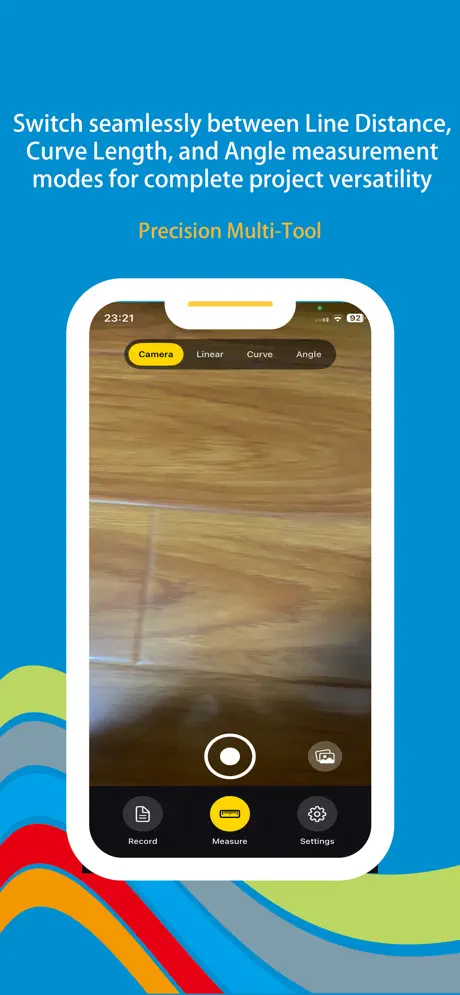
Switch between straight segments, traced curves, and angle reads when corners matter; layer measurements onto photos for specs everyone can follow. AI-assisted motion awareness keeps captures steadier when you are stretching across ladders or long spans.
Key Features

Line distance mode

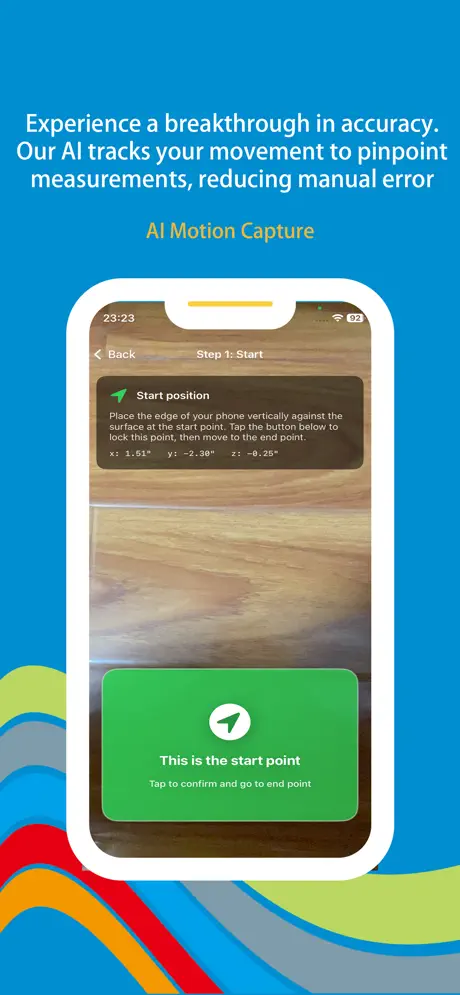
Capture straight spans—walls, cabinets, door heights—by aiming and tapping so tall drops do not require two people on a tape.

Curve measurement

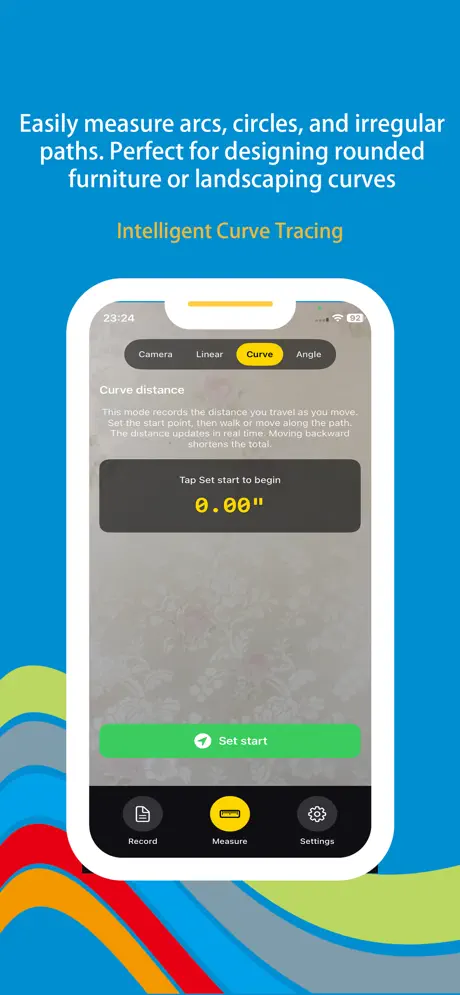
Trace arcs, circles, and irregular edges—ideal for rounded furniture, garden beds, or anything a straight ruler cannot hug.

Angle measurement

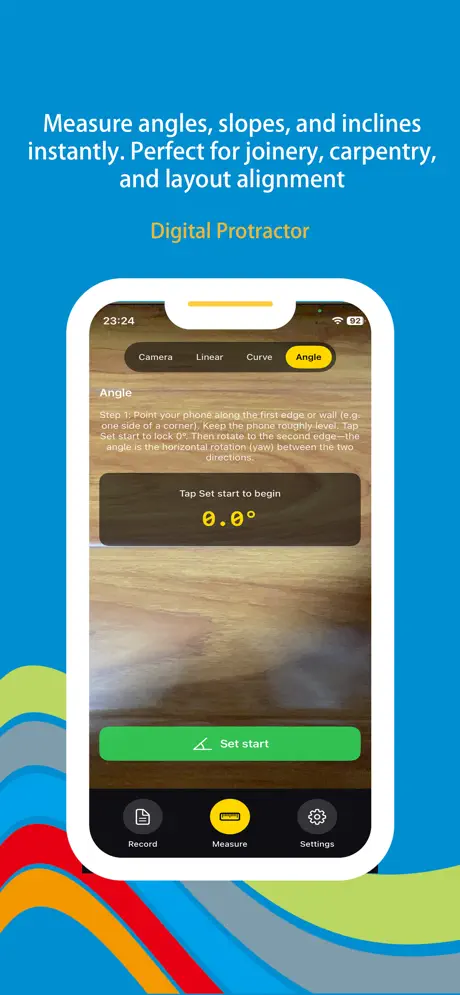
Digital protractor reads for corners, slopes, and tile layouts—verify alignment before you cut or order materials.

Smart photo markup

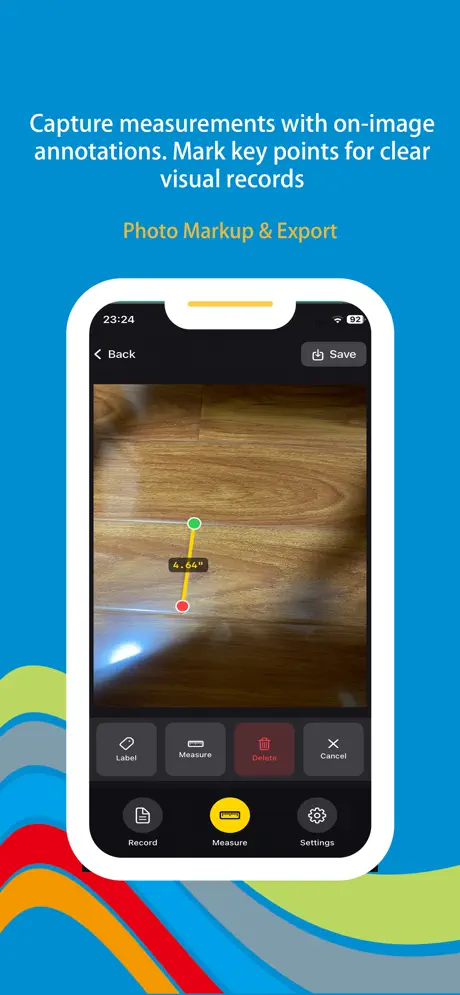
Freeze measurements on-camera snapshots—annotate points, export to clients, or keep a visual punch list that matches reality.

AI motion recognition

Tracks device movement to steady endpoints across large planes—fewer retakes when your arms are tired or space is cramped.

Built for rooms & sites

From apartment layouts and renovations to patios and classrooms—measure once, share proof, and buy materials with confidence.

Wonder Ruler iOS screenshot — AR measurement view
Wonder Ruler screenshot 1 — line distance mode
Wonder Ruler screenshot 2 — curve tracing
Wonder Ruler screenshot 3 — angle / protractor
Wonder Ruler screenshot 4 — photo markup
Wonder Ruler screenshot 5 — room or floor plan

App Information

  • Version 3.2.1
  • Size 45.8 MB
  • Category Utilities
  • Compatibility iOS 15.0+
  • Languages English
  • Age Rating 4+

Ratings & Reviews

See what users are saying about Wonder Ruler

4.8
★★★★★
Based on 2,683 reviews
5
85%
4
10%
3
3%
2
1%
1
1%
BW
Ben Whitaker
3 days ago
★★★★★

Markup photos settled our condo Reno fights

Contractors got annotated captures instead of my blurry chalk notes—dimensions stayed tied to the actual wall segment we argued about. Motion assist helped across our 14-ft ceiling line without a second climb. With 1.3M+ downloads and 2,683 reviews I expected maturity—exports stayed readable after iOS 18’s camera stack shift.

LM
Luis Mendez
1 week ago
★★★★★

Curve mode traced our curved sofa wall

Tape would’ve crimped on the arc—Wonder Ruler followed the plaster smoothly enough that our laminate order didn’t need a panic reorder. Angle reads caught the bay window sill slope before tile mud dried. User volume (~1.3M) shows in how stable plane detection feels on older phones.

SK
Sarah Kim
2 weeks ago
★★★★★

High school geometry lab finally feels tactile

Students photograph campus railing arcs and compare chord vs arc math without hauling bulky tools outside. Line mode handles basketball court markings fast during tournaments. Glad people documented runs—2,683 ratings matched what I needed for classroom proof.

Scan to Download

Wonder Ruler App Store QR code — scan to download Measure Room

Scan this QR code with your device to download the app