Wonder Apps Logo
Wonder Apps
Wonder Signal iOS app icon — network speed test

Wonder Signal - Net Speedcheck

One tap for throughput, latency, jitter, and loss—plus scenario runs that tell you if your line can carry calls, games, or 4K

★★★★★ 4.8 (1,572 reviews)
1.1M+ downloads
Utilities

About This App

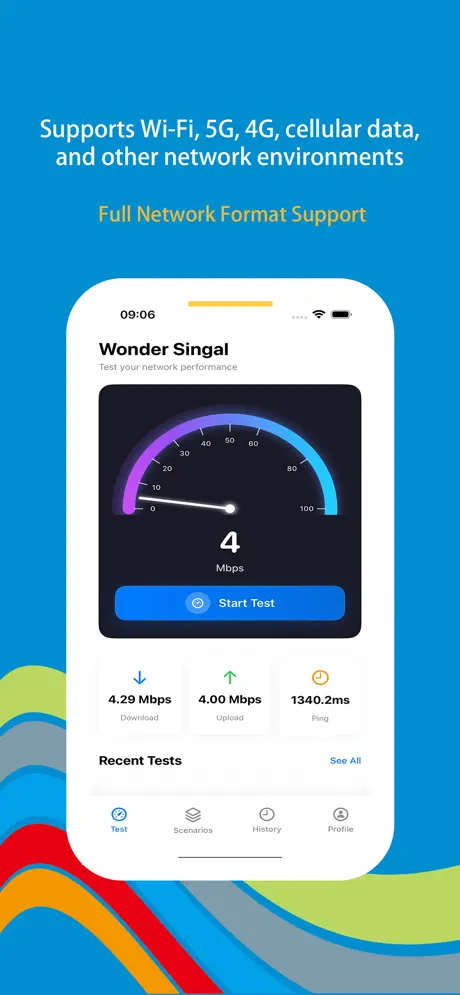
Wonder Signal is built for people who want numbers behind “Wi‑Fi feels slow.” Beyond headline Mbps, you get ping, jitter, and packet loss in one pass so lag spikes and dropouts have nowhere to hide.

Tests stay on your phone—no uploading your browsing habits—while history and charts show whether upgrades or carrier swaps actually changed reality. Presets simulate streaming, gaming, conferencing, or fat file pushes so pass/fail is obvious before you commit to a session.
Key Features

Deep network diagnostics

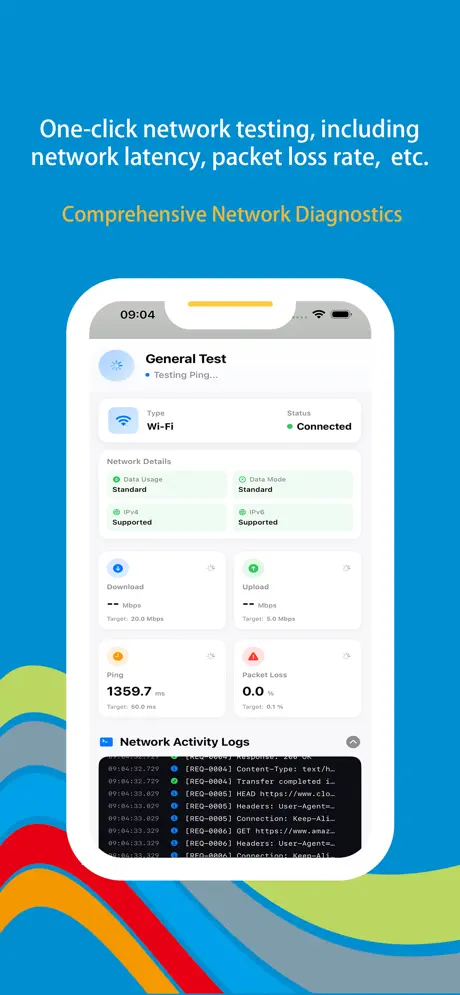
Measure upload & download throughput plus ping, jitter, and packet loss—pinpoint why calls stutter or downloads stall beyond a single Mbps headline.

Wi‑Fi & cellular ready

Run reliable tests on Wi‑Fi, 5G, 4G/LTE, or older radios—switch networks and compare before you lock into a plan or blame the router.

Smart history & charts

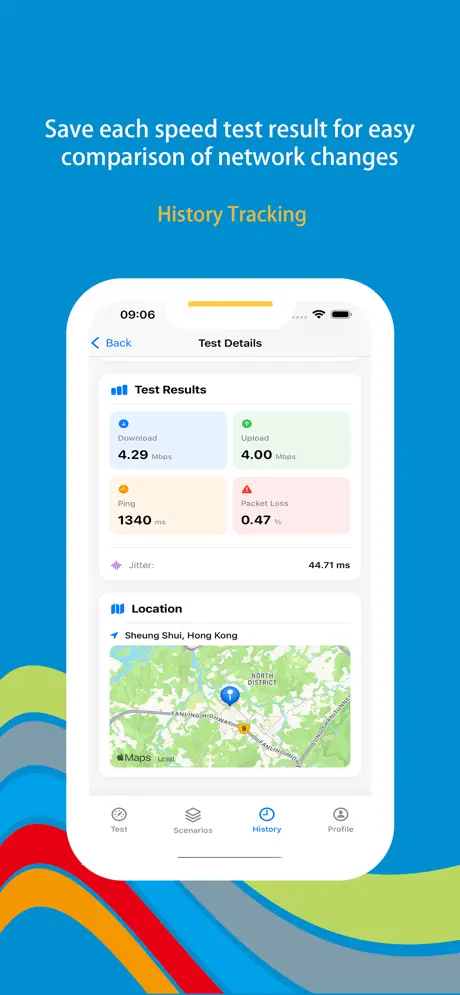
Every run is logged with timelines and visuals—watch carrier drift, prove upgrades worked, or catch flaky nights without spreadsheets.

Scenario-based testing

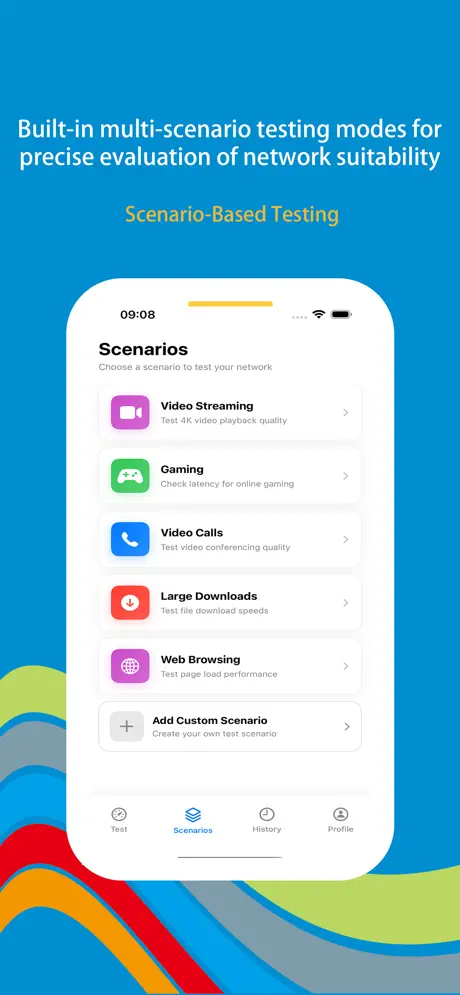
Presets mirror HD streaming, competitive gaming, video calls, or huge uploads—get a plain-language fit check before you start the match.

Pro-grade customization

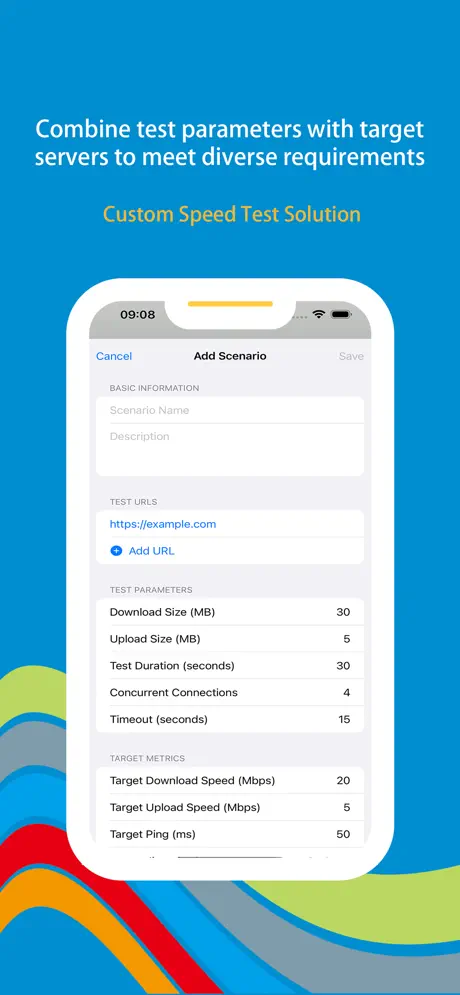
Pick servers, dial duration, tune packet sizes, and stack parameters—enough depth for engineers, still readable for everyday troubleshooting.

Privacy-first & efficient

Runs locally without harvesting usage profiles; animations stay smooth while tests sip battery so you can iterate without overheating your pocket.

Wonder Signal iOS screenshot — speed test dashboard
Wonder Signal screenshot 1 — main speed test
Wonder Signal screenshot 2 — latency or jitter detail
Wonder Signal screenshot 3 — history or charts
Wonder Signal screenshot 4 — scenario presets
Wonder Signal screenshot 5 — advanced settings

App Information

  • Version 3.2.1
  • Size 45.8 MB
  • Category Utilities
  • Compatibility iOS 15.0+
  • Languages English
  • Age Rating 4+

Ratings & Reviews

See what users are saying about Wonder Signal

4.8
★★★★★
Based on 1,572 reviews
5
85%
4
10%
3
3%
2
1%
1
1%
DM
Daniel Moore
3 days ago
★★★★★

Ping and jitter finally made sense

My carrier kept saying “full bars,” but video calls still broke up. Wonder Signal shows upload, download, ping, jitter, and loss in one run—exactly what I needed to prove it wasn’t “just Wi‑Fi.” Glad so many people left feedback (over 1,500 reviews now); the scenario presets for streaming and conferencing sold me before I paid for anything else.

OG
Olivia Green
1 week ago
★★★★★

Router vs 5G—settled in minutes

I switch between home Wi‑Fi and 5G all day. Being able to run the same test on both networks and keep history with charts means I’m not guessing when lag spikes. Seeing 1.1M+ downloads gave me confidence it wasn’t a throwaway speed gimmick; the custom server and duration options are handy when I’m debugging work VPN throughput.

KZ
Kevin Zhang
2 weeks ago
★★★★★

Great for gaming nights

I use the gaming preset before ranked sessions—if jitter creeps up I know it’s the line, not the phone. Local runs feel light on battery compared to other testers I’ve tried, and I like that it doesn’t nag for account sign-ups. Between the big user base (1,572 reviews and counting) and the detailed metrics, this is the net speed app I actually kept on my home screen.

Scan to Download

QR code to download Wonder Signal — Net Speedcheck from the App Store

Scan this QR code with your device to download the app