Wonder Apps Logo
Wonder Apps
Wonder Routine iOS app icon — daily planner and habit system

Wonder Routine - Daily Planner

Atomic-style two-minute starts, context-aware nudges, and compounding analytics—so small wins stack without another overwhelming dashboard

★★★★★ 4.8 (2,469 reviews)
1.1M+ downloads
Health & Fitness

About This App

Wonder Routine pairs Atomic Habits–style thinking with behavioral design: every goal can shrink to a two-minute “atomic” start, so the first step is always obvious when noise is high and willpower is low.

Contextual reminders (time, place, and device state) meet Live Activities, lock screen widgets, and Dynamic Island touches—then analytics on continuity, stability, and intensity show how your system is compounding, not just whether you checked a box.
Key Features

Atomic habit launch

Every habit can begin as a two-minute “atomic” version so the prompt → response path stays tiny—reducing decisions when motivation swings.

Contextual reminders + iOS surfaces

Time, location, and device-state triggers pair with Live Activities, lock screen widgets, and Dynamic Island—gentle visibility without living inside the app.

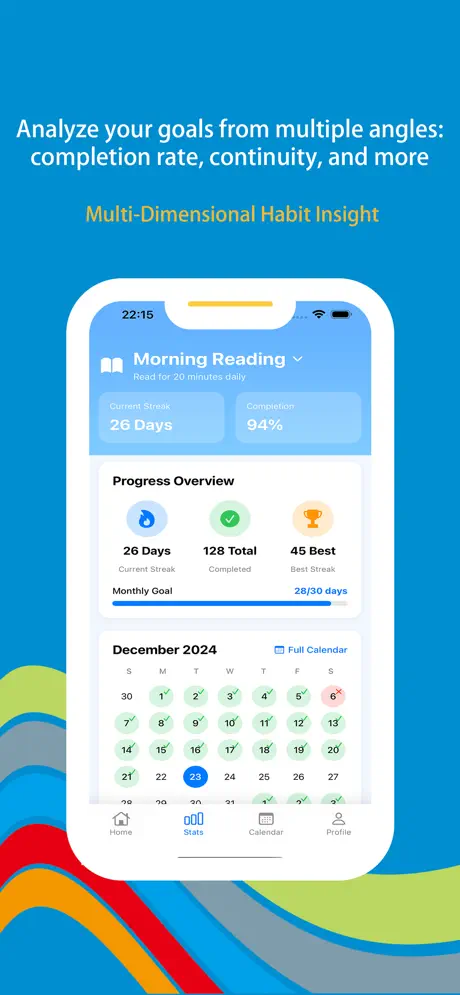
Multi-dimensional analytics

Continuity (streaks), stability (regularity), and intensity evolution turn vague effort into heatmaps, trend lines, and radar views you can interpret.

Compound effect timeline

Daily, weekly, and monthly panels visualize 1%-style progress—plus retrospectives that highlight nonlinear breakthroughs when systems beat one-off goals.

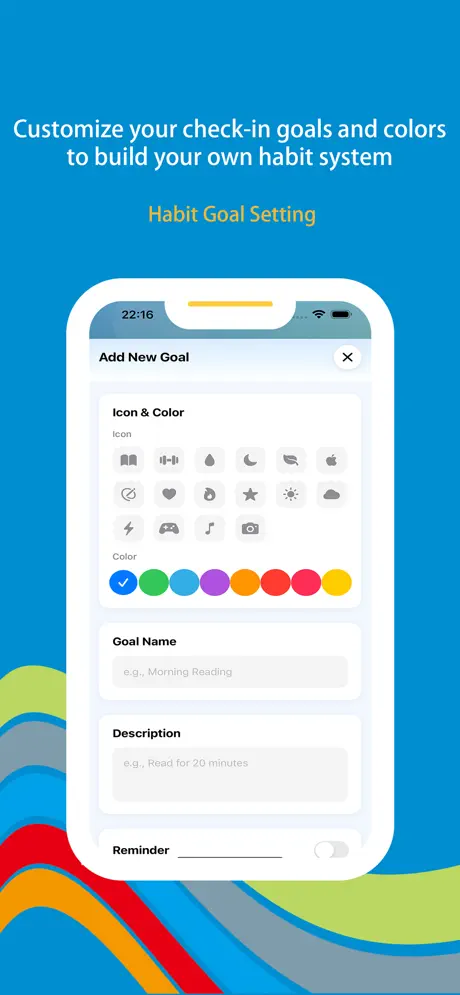
Habit architecture workshop

Name, cadence, duration, and flexible cycles—plus 100+ icons—so every routine has rules and a visual identity that fits how you actually live.

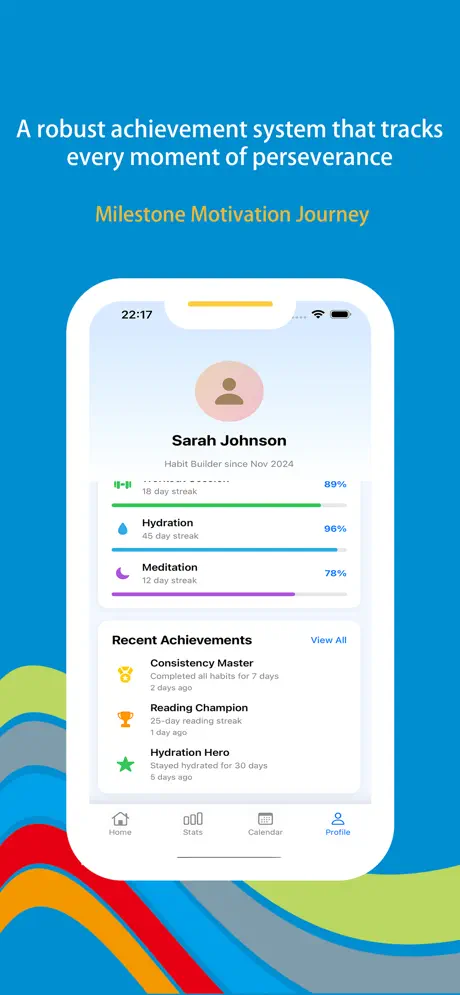
Positive reinforcement loop

Celebration animations on check-ins, milestone badges (21 / 66 / 100 days), and playful identity labels—making progress feel rewarding, not punitive.

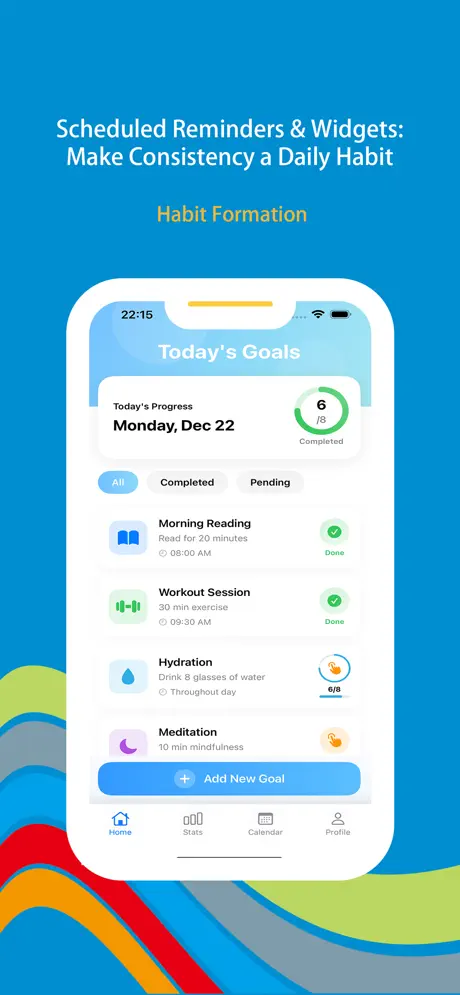
Wonder Routine iOS screenshot — habit dashboard or today view
Wonder Routine screenshot 1 — daily habits overview
Wonder Routine screenshot 2 — widgets or Live Activity
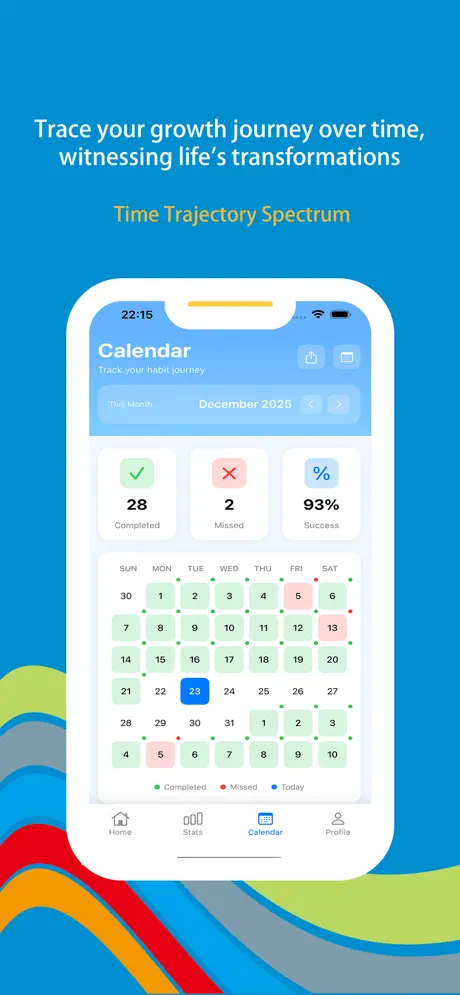
Wonder Routine screenshot 3 — analytics or heatmap
Wonder Routine screenshot 4 — timeline or compound growth
Wonder Routine screenshot 5 — milestones or rewards

App Information

  • Version 3.2.1
  • Size 45.8 MB
  • Category Health & Fitness
  • Compatibility iOS 15.0+
  • Languages English
  • Age Rating 4+

Ratings & Reviews

See what users are saying about Wonder Routine

4.8
★★★★★
Based on 2,469 reviews
5
85%
4
10%
3
3%
2
1%
1
1%
IR
Isla Rhodes
3 days ago
★★★★★

Two-minute mode broke my “I’ll start Monday” loop

Opening to a shrunken version of journaling means I actually tap check-in before doom-scrolling. Lock screen widgets + Live Activities nag kindly—not guiltily—when I walk past the gym. With 1.1M+ downloads and 2,469 reviews I expected polish; stability held through three iOS updates.

TC
Theo Cruz
1 week ago
★★★★★

Heatmaps showed my Wednesday slump

Continuity vs stability charts made me move deep-work blocks off Thursdays instead of blaming discipline. Timeline zoom finally convinced my brain that small reps compound—my partner asked what changed because I stopped announcing resets every month.

NV
Nadia Voss
2 weeks ago
★★★★★

Badges feel cheesy until they aren’t

Confetti on micro wins kept me logging water during night shifts; hitting the 66-day badge synced with my vitals trendline for real. Huge install base (~1.1M) shows in how fast new icons land—my nursing cohort each picked a unique glyph so shifts don’t blur habits.

Scan to Download

Wonder Routine App Store QR code — scan to download Daily Planner

Scan this QR code with your device to download the app